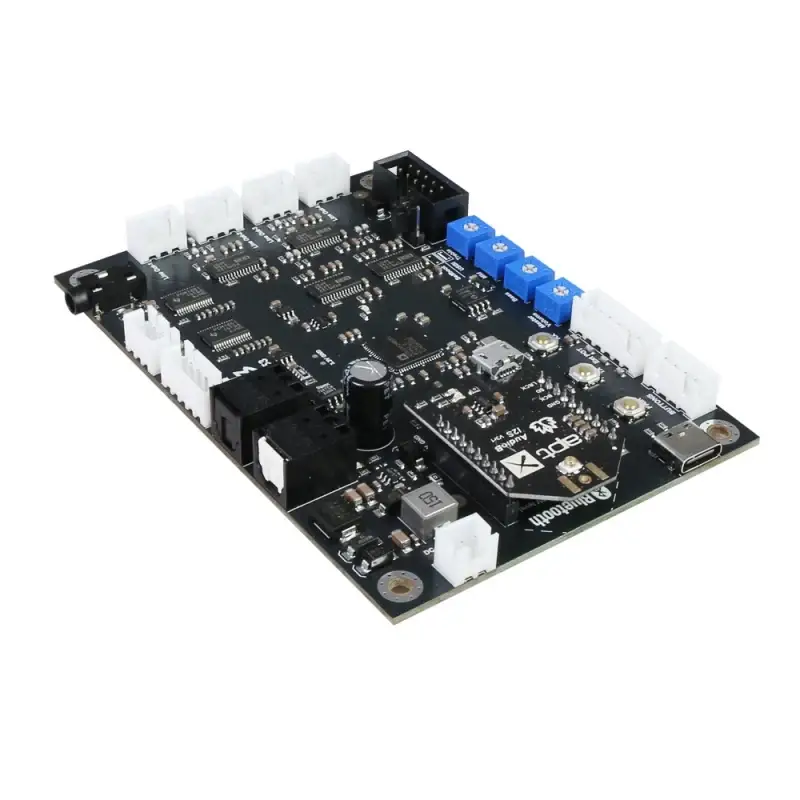
TSA1453B Bluetooth + DSP Audio Receiver Board
Category: Computers
SKU: CS-6076D45208A0F163
Product Overview
TSA1453B is an enhanced Bluetooth + DSP board with an AudioB I2S v3 module that supports Apt-X. It can be powered by a USB-C cable or any DC9V-30V power supply.
Key Specifications
From product details- How to use:
- TWS firmware (single board)
- LRCLK_IN0
- input
- SDATA_IN0
- input
- LRCLK_IN1
- input
- SDATA_IN1
- input
- LRCLK_IN2
- input
- SDATA_IN2
- input
- LRCLK_IN3
- input
Product Details & Specifications
TSA1453B Bluetooth + DSP Audio Receiver Board — TSA1453B is an enhanced Bluetooth + DSP board with an AudioB I2S v3 module that supports Apt-X It can be powered by a USB-C cable or any DC9V-30V power supply You can pair it with a mobile phone or a computer (etc) Power the board, use your phone or PC (etc) to search for a new Bluetooth device The module wil…
TSA1453B is an enhanced Bluetooth + DSP board with an AudioB I2S v3 module that supports Apt-X. It can be powered by a USB-C cable or any DC9V-30V power supply.
You can pair it with a mobile phone or a computer (etc). Power the board, use your phone or PC (etc) to search for a new Bluetooth device. The module will appear as "TSA1453B".
You don't need a PIN, pair it and then you can play music. The TSA1453B is a complete audio digital signal processing module. It has 4 stereo analog outputs and one TOSlink output. The main DSP chip on this module is ADAU1452.
The application range from active loudspeaker concepts (digital 3 way 3 unit, 2 way 2 unit crossover, bass enhancement, etc.) and realize the transformation from 2.0 to 2.1.
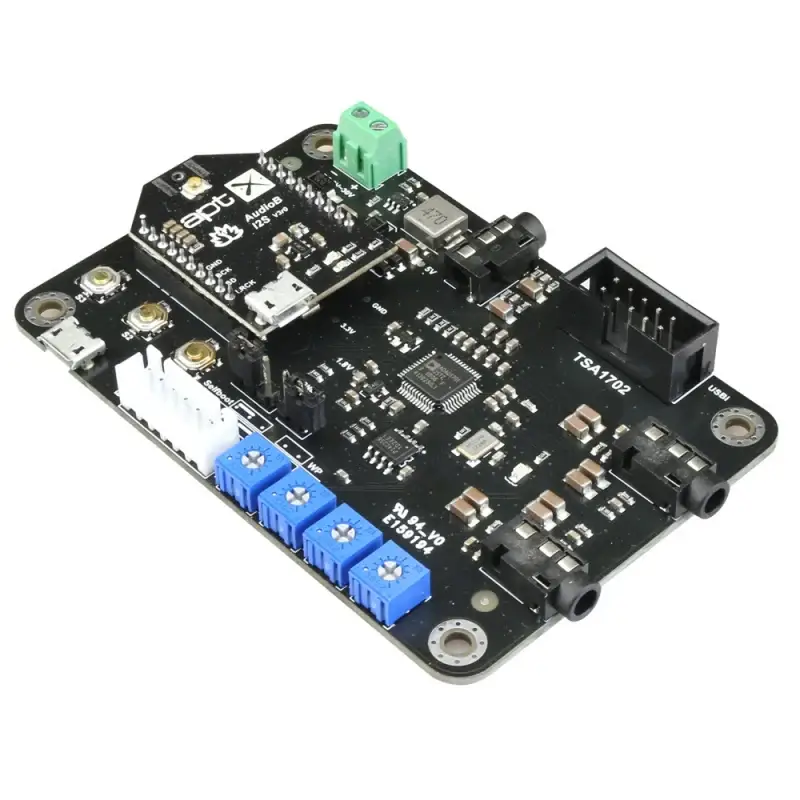
It has four potentiometers and with default program loaded. Customers can adjust the gain, bass, midrange and treble. It also has a debug port for Sigima Studio, and users can program this module with our USBi programmer to get more functions that include equalization, crossover, bass enhancement, multiband dynamics processing, delay compensation, etc.
How to use: TWS firmware (single board)
Power up TSA1453, red LED slow blink then red and blue LED flash alternately. Now, your smartphone will be able to find a new Bluetooth device which name is "TSA1453", connect it. Blue LED flash. You can play the music now.
TWS connection (2 boards can connected together)
Master board
Power up TSA1453, red LED slow blink then red and blue LED flash alternately. Now, your smartphone will be able to find a new Bluetooth device which name is "TSA1453", connect it. Blue LED flash. You can play the music now. If you only use one amplifier board, you don't need do the following steps. Long press S1+S3 button for 1 second, board into TWS master mode. Red and blue LED flash alternately.
Slave board
Power up another TSA1453, red LED slow blink then red and blue LED flash alternately. Long press S1+S2 button for 1 second, board into TWS slave mode. Red and blue LED flash alternately. The master board will auto searching (30 seconds) slave board. Both master and slave board will be connected. The slave board will have music out now. If you want to disconnect TWS connection, long press S2+S3 button for 1 second to disconnect TWS connection.
Party firmware (single board)
Power up TSA1453, blue LED flash 3 times per cycle. Double click S3 button, TSA1453 into pairing mode. (Voice: Pairing, blue LED flash 2 times per cycle.) Now, your smartphone will be able to find a new Bluetooth device which name is "TSA1453", connect it. (Voice: Pairing successful, blue LED flash 1 time per cycle.) You can play the music now.
Party connection (multi boards can connected together)
Transmitter board
Power up TSA1453, blue LED flash 3 times per cycle. Double click S3 button, TSA1453 into pairing mode. (Voice: Pairing, blue LED flash 2 times per cycle.) Now, your smartphone will be able to find a new Bluetooth device which name is "TSA1453", connect it. (Voice: Pairing successful, blue LED flash 1 time per cycle.) You can play the music now. If you only use one amplifier board. You don't need do the following steps. Press S2 button, board into transmitter mode.(Voice: Broadcast mode)
Receiver board
Power up another TSA1453, blue LED flash 3 times per cycle. Press S3 button, board into receiver mode.(Voice: Broadcast audio enabled) Double click S2 button on transmitter board, double click S3 button on receiver board, the transmitter board will auto searching (30 seconds) receiver board. Both transmitter and receiver board will be connected. The receiver board will have music out now. If a new TSA1453 want to join as receiver board, repeat step1~step3 on the new TSA1453 board. If a receiver board wants to quit, click S2 button on that board to set it into transmitter mode.
Pins define:
Port name Pin name Direction Description
TOSLINK Input SPDIFIN input
TOSLINK Output SPDIFOUT output
External Potentiometers port ADC0 input Gain control
ADC1 input Treble control
ADC2 input Midrange control
ADC3 input Bass control
Line in 1 BCLK_IN0 input
LRCLK_IN0 input
SDATA_IN0 input
Line in 2 BCLK_IN1 input
LRCLK_IN1 input
SDATA_IN1 input
I2S input BCLK_IN2 input
LRCLK_IN2 input
SDATA_IN2 input
Bluetooth input BCLK_IN3 input
LRCLK_IN3 input
SDATA_IN3 input
Line out 1 LRCLK_OUT3 output
BCLK_OUT3 output
SDATA_OUT3 output
Line out 2 LRCLK_OUT2 output
BCLK_OUT2 output
SDATA_OUT2 output
Line out 3 LRCLK_OUT1 output
BCLK_OUT1 output
SDATA_OUT1 output
Line out 4 LRCLK_OUT0 output
BCLK_OUT0 output
SDATA_OUT0 output
Control buttons: There are 3 buttons on the board, they have different functions in TWS and Party firmware: TWS firmware
Play/Pause: Play/pause music Rewind/Vol-: long press decrease volume, short click to play the previous song Forward/Vol+: long press increase volume, short click to play the next song
Party firmware
Pair: double click board into paring mode TX: single cilck board into transmitter mode; double click to searching receiver board RX: single click board into receiver mode; double to searching transmitter board
Pins define:(Check the board backside silkscreen): You can also connect our Panel Mount Buttons Kit for Amplifier to TSA1453's external buttons port, it works same as buttons on the board.
Potentiometers port: You can connect external POTs (5K~20K) to control the Main volume, treble, middle, Bass. This is our POT kit
ADC0- Main volume. ADC1- Bass volume. ADC2- Middle volume. ADC3- treble volume.
Warning: You need to disconnect the soldering pads on the board back side when you connect external potentiometers. Or the ADC port may be burned. Potentiometers value: 1Kohm-100Kohm.
DSP programming port: TSA1453's DSP detects both Bluetooth signal and Line in signal, but the default program makes Bluetooth has higher prority. If Bluetooth signal is detected, TSA1452 will output Bluetooth audio source, otherwise it will output Line in audio source.
You can develop DSP program to fulfill your requirement, then load the new DSP program by using USBi JTAG Sigma DSP programmer.
TSA1452B works with stereo amplifier board
Features:
Size: 11cm x 7.5cm x1.5cm Powerful Digital Audio Processor Up to 294.912 MHz, 32-bit SigmaDSP core at 1.2 V ADC Chip: PCM1861 DAC Chip: PCM5122 Analog audio out output level: 2Vrms Analog audio input signal range: 2Vrms Input resistance: 20Kohm Fully Programmable with SigmaStudio Graphical tool 5V type C USB or DC9-30V Power input Current draw: 23mA@12VDC Bluetooth 5.1 I2S Sampling Rate: 48KHz I2S logic level: 3.3V TWS firmware: aptX, aptX-HD, SBC and AAC Party mode firmware: SBC ADAU DSP integrated TWS or Multi-point connection Up to 100 boards can be linked together.(Party firmware) Effective transmission distance: 80-100m
Documents:
ADI SigmaStudio software
Default Bluetooth firmware (TWS)
Default Bluetooth firmware (Party mode)
Default DSP program
How to write DSP program to DSP board
How to change the Bluetooth name
How to enable the PIN code
TWS pairing video tutorial
Party mode pairing video tutorial
Buyer Reviews (0)
Reviews for this product only.
More from this category
View category
TSA1702B Bluetooth + DSP Audio Receiver Board
MYR 166.34
HP ProBook 440 G8 Notebook - Intel Core i5 1135G7 / 2.4 GHz - Win 10 Pro 64-bit - Iris Xe Graphics - 8 GB RAM - 256 GB SSD NVMe, HP Value - 14" 1920 x 1080 (Full HD) - Wi-Fi 6 - alumínio prateado pique - kbd: Português
MYR 8,042.50
 Dell Latitude E7270 Core i5 - 6th Gen
MYR 1,437.50
 Dell Precision 3560 15.6" HD i5-1135G7 16GB RAM 512GB SSD Win11 Pro Renewed Laptop Silver Fast PCs
MYR 1,913.75
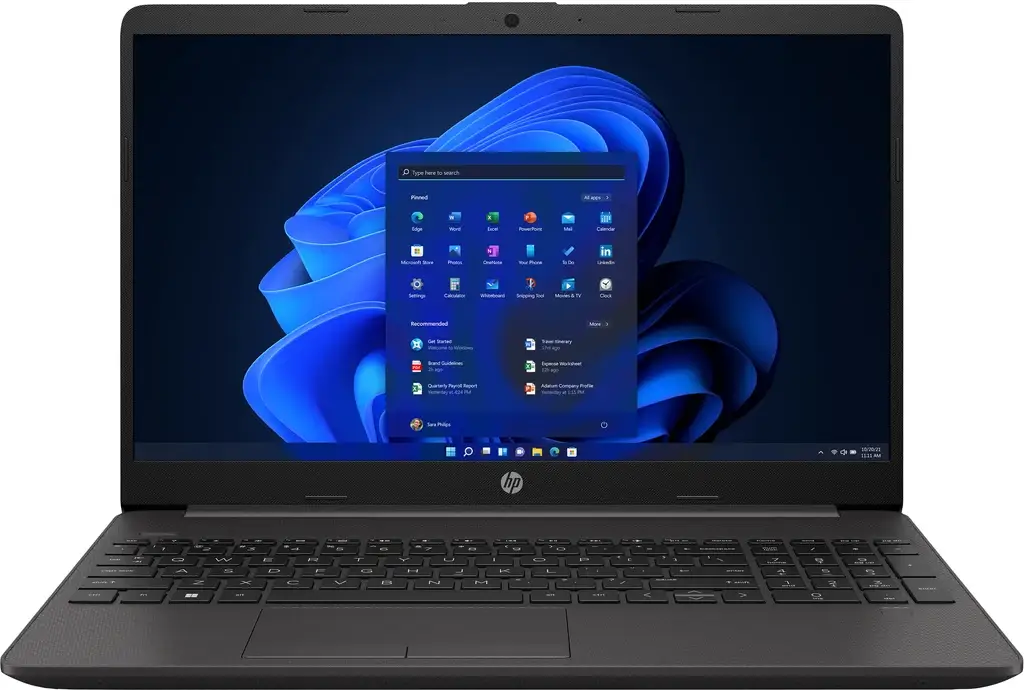 HP 250 G8 Notebook - Intel Core i3 1115G4 / 3 GHz - Win 11 Pro - UHD Graphics - 8 GB RAM - 256 GB SSD NVMe - 15.6" IPS 1920 x 1080 (Full HD) - Wi-Fi 5 - prata cinza escuro - kbd: Português
MYR 5,197.50
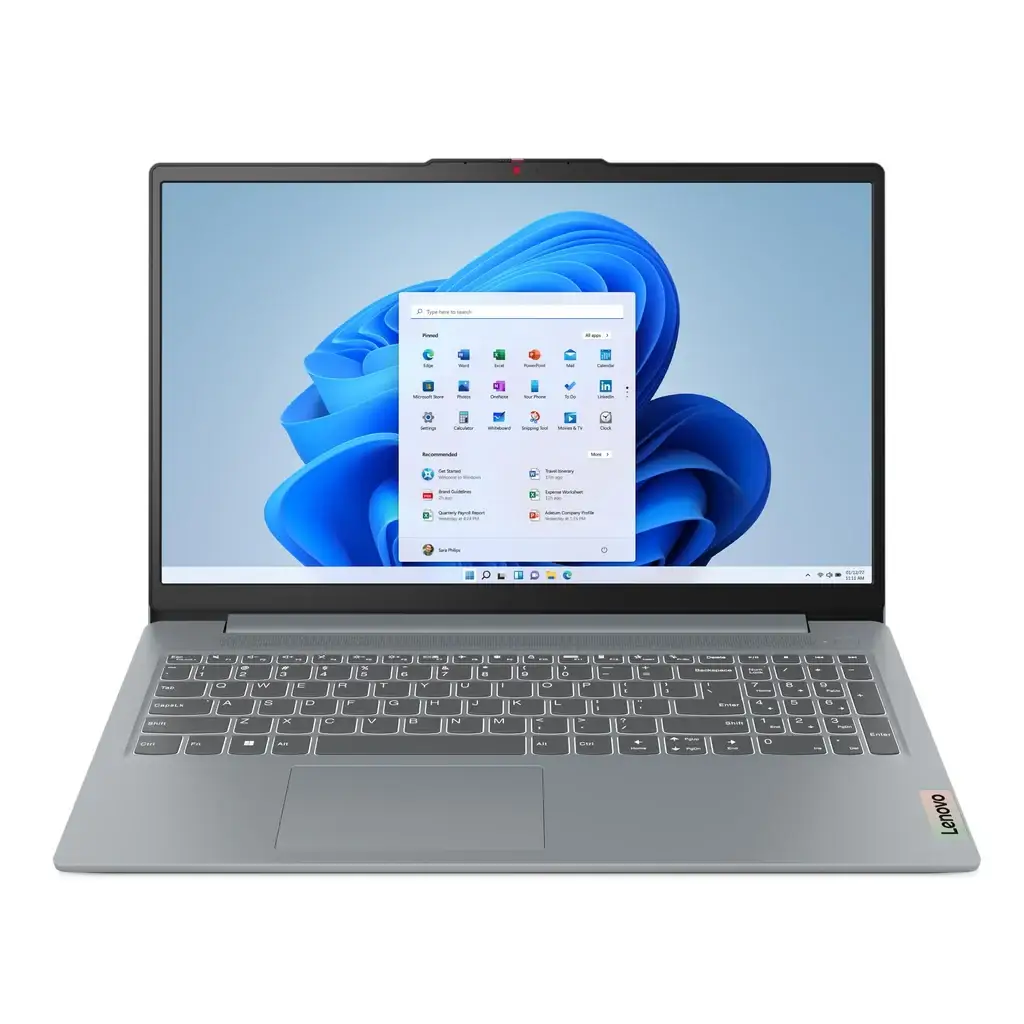 Lenovo IdeaPad S3 15.6" Full HD Laptop (Ryzen 5)[512GB/16GB]
MYR 5,587.63